


.svg)

.svg)
.svg)
.svg)




.svg)
.svg)
.svg)




.png)
.svg)


I have a buggy TikTok: what should I do?

What if you chose to blow everything up on TikTok? Choose your TikTok agency now!
TikTok users may sometimes encounter bugs that affect the fluidity of the app, ranging from slow loading to abruptly stopping videos. This article guides you through fixing the most common bugs and provides practical tips for getting your application back up and running.
I. Identifying the causes of bugs on TikTok
Before fixing a bug, it is essential to identify the potential cause. TikTok issues can come from a number of sources:
• Unstable internet connections : Weak Wi-Fi or mobile data can cause videos to load slowly.
• Outdated application version : Regular updates fix bugs and improve compatibility.
• Overloaded storage or cluttered cache : The accumulation of cache files can cause delays.
• Server maintenance : Sometimes the problem is with TikTok itself due to a general outage. Use services like Downdetector to check the status of the servers.
II. Solutions to solve the most common bugs
1. Check the Internet connection
The first step is to make sure the internet connection is stable enough for TikTok. If the problem persists:
• Try to switch between Wi-Fi and mobile data (or vice versa).
• Reboot your router or change your location for better signal.
2. Update the TikTok app
Bugs are often fixed in recent releases. So make sure your application is up to date:
• Go to the App Store (iOS) or Google Play Store (Android), search for TikTok, and update the app if needed.
3. Clear TikTok's cache
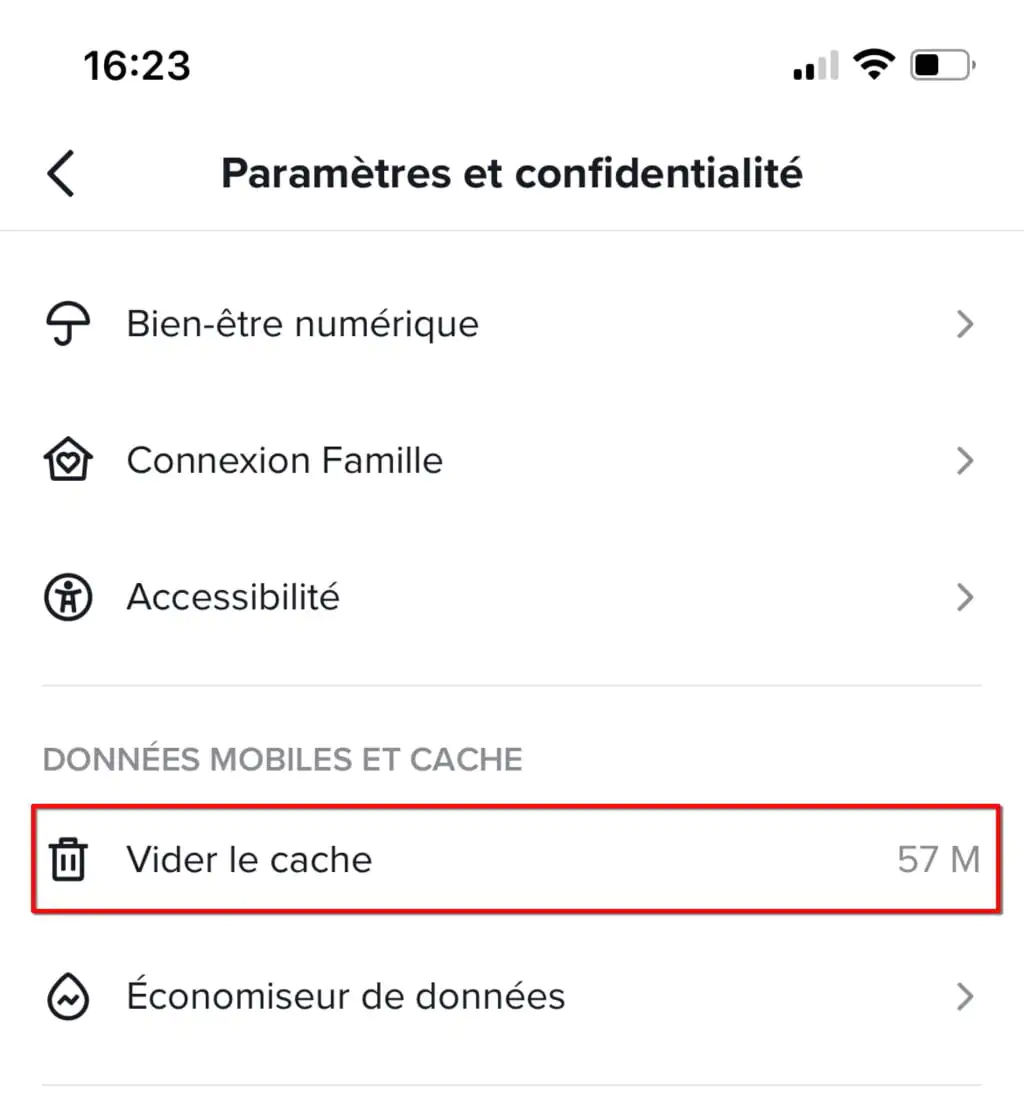
Cache accumulation can slow TikTok down and cause bugs. To clear the cache:
• Open TikTok settings, select “Settings and Privacy,” then “Clear Cache.”
4. Restart the app and the device
Minor errors can be resolved by shutting down TikTok completely and restarting your device, which refreshes the memory and removes temporary issues.
5. Reinstall the TikTok app
If the previous steps fail, uninstall TikTok and then reinstall it. This removes corrupt files and allows for a clean reinstallation of the application.
III. In case of a persistent bug
If the troubleshooting solutions didn't fix your problem, check the crash reports via Downdetector to see if other users are experiencing similar difficulties. Finally, for a persistent bug, contact TikTok support directly via the “Report a problem” option in the app settings.








.svg)